
When to Build an Internal Tool Instead of Living in a Spreadsheet
- •
- 4 min
- •
- RSS

Forward Deployed Engineer · Dubai
The spreadsheet is fine right up until it isn't, and the line is more specific than "it got big." You've crossed it when three things are true at once:
- more than one person depends on the spreadsheet,
- more than one person edits it,
- and something expensive happens when it silently breaks.
At that point it stopped being a spreadsheet and became a system of record with no validation, no audit trail, and no owner — and that's when a tool starts costing less than the spreadsheet does.
Most teams cross that line months before they notice, because the spreadsheet degrades gradually. Nobody wakes up to a broken system. They wake up to the fourth time this quarter someone overwrote a column, or the report that took an afternoon to assemble by hand, again.
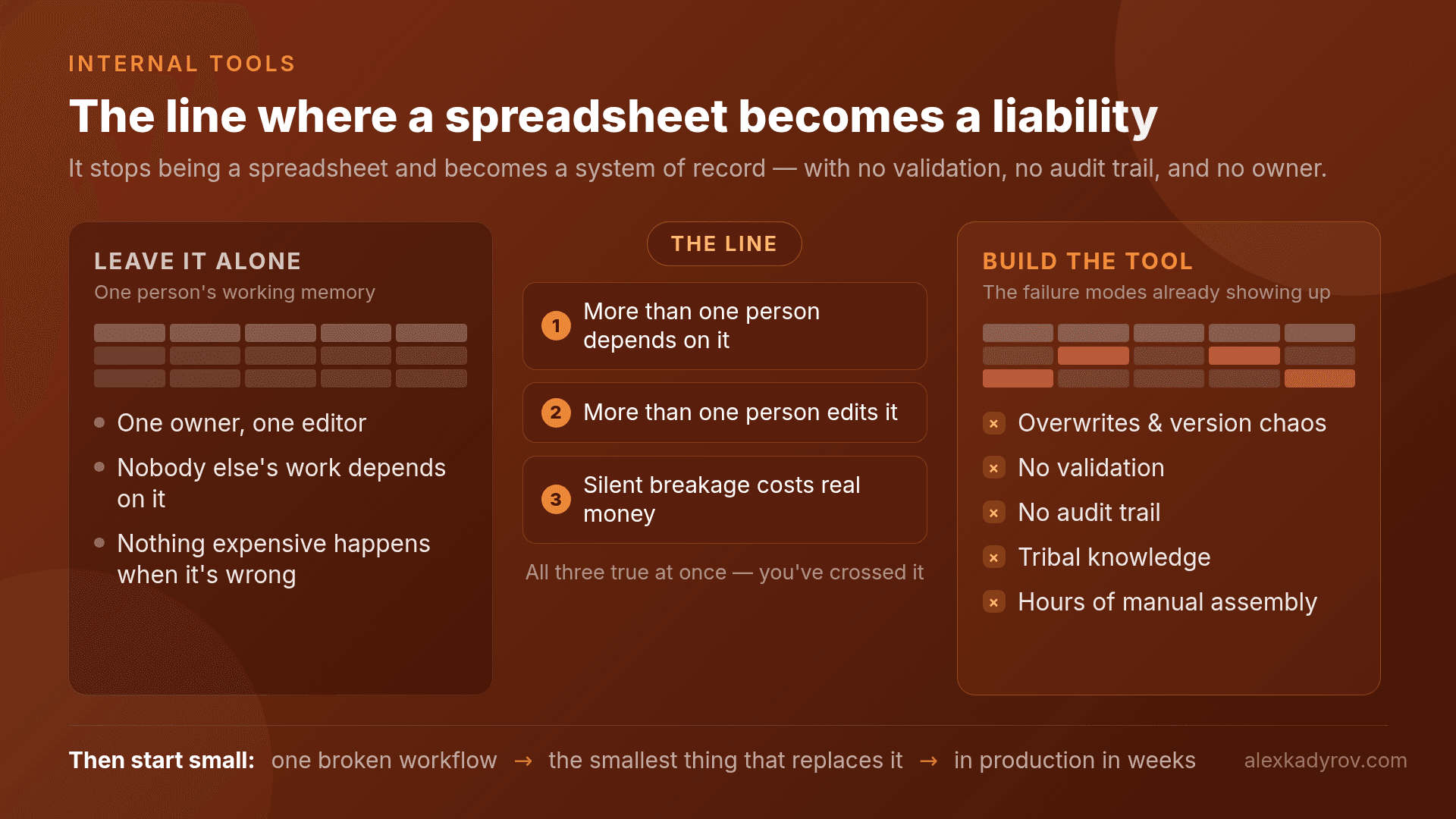
The signals you've crossed the line
A spreadsheet is still the right tool when it's one person's working memory — a list, a tracker, a scratchpad. It stops being the right tool when the failure modes below start showing up:
- Overwrites and version chaos. Two people edit the same file and one change quietly wins. If "which copy is current" is ever a real question, the spreadsheet is now a liability.
- No validation. Nothing stops someone entering a date in a number field, a typo'd status that breaks a filter, a duplicate that inflates a total. Every cell trusts every human completely.
- No audit trail. When a number is wrong, you can't see who changed it, when, or from what. In anything touching money or clients, that alone is the reason to build.
- Tribal knowledge. The sheet only works because one person knows the macro is fragile, column K must never be sorted, and the pivot has to be refreshed in a specific order. That's a person, not a system.
- Manual assembly. Someone spends real hours every week copying between sheets, reconciling, and formatting a report by hand. That time is the tool's price tag, paid weekly, forever.
If you recognize three or more of these, the spreadsheet is already costing more than it looks — just in hours and errors instead of a line item.
What to build, and how small it starts
The mistake in the other direction is over-building — deciding you need a full platform and disappearing for six months. You don't. The first version should be smaller than you think and in production fast, because real usage tells you what to build next and mockups don't.
RealEstateCRM started as a simple apartments database, delivered in two weeks and put straight into production. The first real use immediately produced the next requirement — they needed a customers database too, to work as an actual CRM — which took another two weeks.
From there it grew through months of near-daily changes driven by how people actually used it: document management, website integration, deal tracking. It has run since 2021. None of that was planned upfront. It couldn't have been, because the requirements only became visible once the thing was real and in use.
So "build a tool" doesn't mean "commission a platform." It means: take the one workflow that's breaking, build the smallest thing that replaces the spreadsheet for that one workflow, put it in front of the people doing the work, and let their usage drive the next two weeks.
The tool's real job is removing the friction, not adding features
The point of an internal tool isn't to digitize the spreadsheet. It's to remove the specific friction that made the spreadsheet painful — and that friction is usually not where people think it is.
A support team I built Admin Manager Panel for described slow ticket resolution. The instinct is to build a better ticket tracker. But watching them work for a day showed the real problem: they were switching between three to five separate systems for every ticket — customer data here, service status there, billing somewhere else. No individual system was broken. The switching was. A single dashboard that surfaced the right context per ticket cut resolution time by around 70%. Nothing in the underlying tools changed; the integration between them was what had been missing.
That's the pattern. The spreadsheet is a symptom of a workflow that outgrew it, and the tool worth building is the one that fixes the actual friction — which you find by watching how the work moves, not by listing the columns in the sheet.
When to leave the spreadsheet alone
Not every spreadsheet needs replacing, and building a tool for a workflow that isn't painful yet is its own waste. If the sheet is one person's tracker, the data isn't load-bearing for anyone else, and nothing expensive happens when it's wrong, keep it.
Spreadsheets are a genuinely good tool for exploring a problem before you understand it well enough to build for it. The time to build is when the workflow has stabilized, the pain is repeating, and the cost of the failure modes is now real — not before.
If a spreadsheet has quietly turned into a system your team depends on, that's the kind of workflow I build custom internal tools for — starting small, in production fast, shaped by how your team actually works. See the internal tools service page or book a call.